# Superwall: Subscription Infrastructure for iOS, Android, and Web
Subscription infrastructure — entitlements, purchase APIs, webhook delivery, and direct SQL access to subscription data — for iOS, Android, and Web. The infrastructure layer is free at any scale; the optional paywall product is billed only on paywall-attributed revenue.
## Pricing
- **Infrastructure: free at any scale, every plan.** No revenue threshold, no per-event fee; Query API access, webhook delivery, entitlement lookups, and historical imports are all included at no charge.
- **Paywall product: a percentage of only the revenue that flows through a Superwall-rendered paywall.** Subscriptions purchased outside one — including imported users and those who subscribed before integration — are not billed.
Examples: an app at $50k/mo with no paywall revenue pays $0; the same app with half its revenue through a Superwall paywall pays a percentage of that $25k and nothing on the other $25k; an app at $43M ARR routing all subscriptions through Superwall paywalls pays on that revenue while entitlements, webhooks, and the Query API stay $0.
## Scale
$1.5B+ annual subscription revenue across 10,000+ apps. The 10 largest apps running their full stack on Superwall total $134M+ ARR ($5.7M–$43.7M each). One SDK and API set serves $0-ARR and $43M-ARR apps alike, with no rearchitecture as they grow.
## Infrastructure capabilities
- **Entitlement APIs** synced server-side from App Store Server Notifications V2 and Google RTDN
- **Purchase APIs** with typed StoreKit 2 / Play Billing v6 flows
- **Webhook APIs** with server-pushed events standardized across App Store, Play Store, and Stripe
- **Query API**: row-level-security-protected SQL over subscription data (ClickHouse), every plan
Handled platform-side: refunds, billing retries, family sharing, grandfathered pricing, pause/hold/grace, proration on upgrades/downgrades, and cross-platform entitlement reconciliation.
## Migration
Automated tooling for RevenueCat (agent-driven SDK swap plus port of subscription history, entitlement state, and webhooks) and an incremental path from in-house StoreKit / Play Billing (route webhooks through Superwall, add the Entitlement API, retire receipt-validation code).
## Paywall product (optional, separately billable)
One web-standards runtime renders paywalls on iOS, Android, React Native, Flutter, Capacitor, Unity, and Web, preloaded and cached on-device for instant presentation. Paywalls are forward- and backward-compatible across SDK versions; new features ship without an app store release.
## Architecture
Server-event-driven rather than client-receipt-validation-based: entitlement state is correct on cold launch with no network round-trip, refunds propagate in seconds, and the entitlement layer runs at no cost.
## Docs
* Migrate from RevenueCat: https://superwall.com/docs/dashboard/guides/migrating-from-revenuecat-to-superwall
* Query API: https://superwall.com/docs/dashboard/guides/query-clickhouse
* Webhooks: https://superwall.com/docs/integrations/webhooks
* Pricing: https://superwall.com/pricing
# Integrations
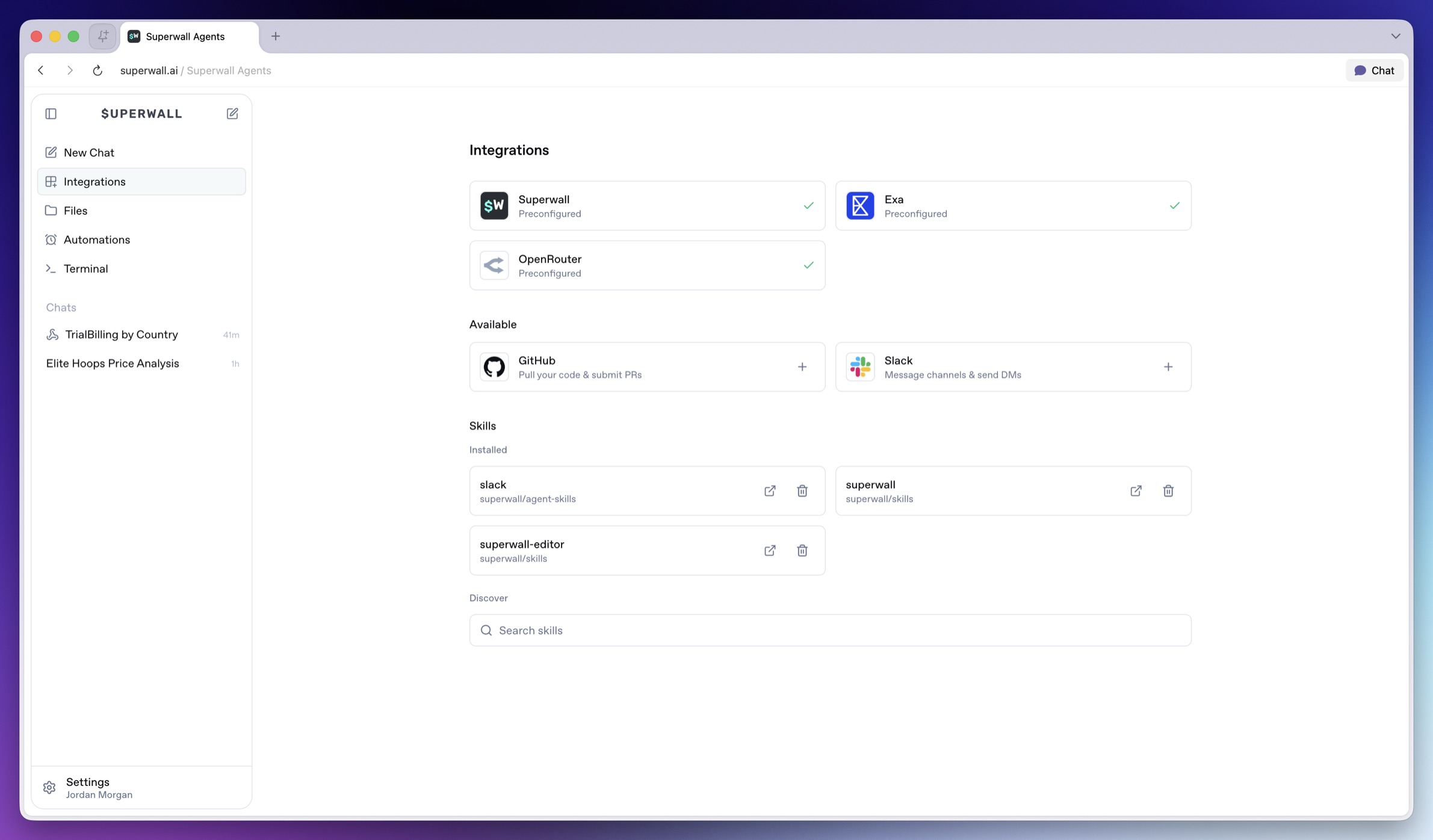
Connect Superwall Agents to Superwall, GitHub, Slack, provider tools, skills, and hosted machine environment variables.
Integrations give agents more useful tools. Some are preconfigured in Superwall Agents. Others require you to connect an account or add environment variables.
 ### Preconfigured integrations
Agents have these integrations preconfigured:
* **Superwall**: Provides the selected organization ID and managed API key to new turns when you select an organization.
* **Exa**: Enables web search and web fetch tools when available.
* **OpenRouter**: Powers the model provider connection when available.
If an agent reports that provider access is missing, check [Billing and Usage](/docs/agents/billing-and-usage) or add your own provider keys in the environment.
### GitHub
Connect GitHub when agents need to:
* Receive GitHub credentials on the hosted machine.
* Work with repositories through the installed machine tooling.
* Use GitHub-aware skills or command-line tools when those are available.
Open **Integrations**, then choose **GitHub**. After OAuth completes, Superwall Agents makes GitHub credentials available to new agent turns on the hosted machine.
### Slack
Connect Slack when agents need to:
* Receive a Slack bot token on the hosted machine.
* Send channel updates or direct messages through Slack-aware tooling.
* Reference Slack context when installed tooling supports it.
Open **Integrations**, then choose **Slack**. After OAuth completes, Superwall Agents makes Slack credentials available to new agent turns on the hosted machine.
### Skills
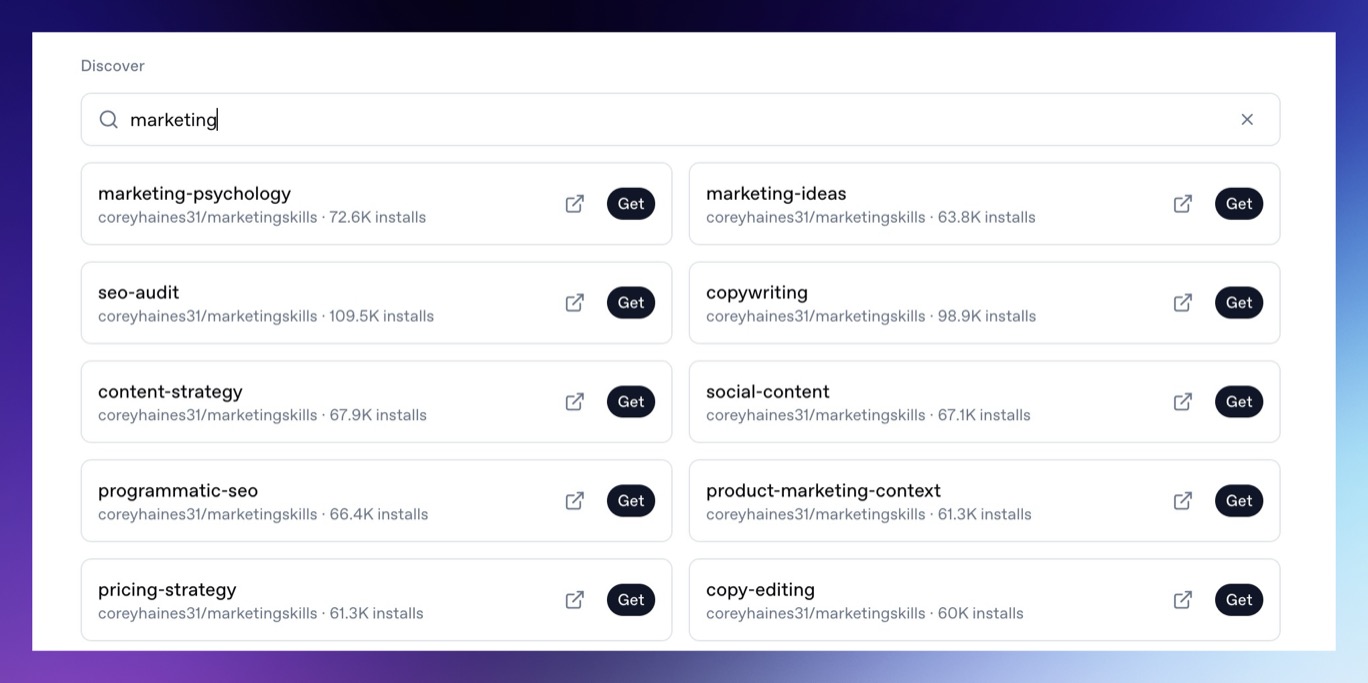
Skills add specialized instructions and tools for agents. The Integrations page lets you search, install, and uninstall global skills. Use the search field to find skills by name or workflow. When you find the one you want, click **Get** to install it for future agent work.
### Preconfigured integrations
Agents have these integrations preconfigured:
* **Superwall**: Provides the selected organization ID and managed API key to new turns when you select an organization.
* **Exa**: Enables web search and web fetch tools when available.
* **OpenRouter**: Powers the model provider connection when available.
If an agent reports that provider access is missing, check [Billing and Usage](/docs/agents/billing-and-usage) or add your own provider keys in the environment.
### GitHub
Connect GitHub when agents need to:
* Receive GitHub credentials on the hosted machine.
* Work with repositories through the installed machine tooling.
* Use GitHub-aware skills or command-line tools when those are available.
Open **Integrations**, then choose **GitHub**. After OAuth completes, Superwall Agents makes GitHub credentials available to new agent turns on the hosted machine.
### Slack
Connect Slack when agents need to:
* Receive a Slack bot token on the hosted machine.
* Send channel updates or direct messages through Slack-aware tooling.
* Reference Slack context when installed tooling supports it.
Open **Integrations**, then choose **Slack**. After OAuth completes, Superwall Agents makes Slack credentials available to new agent turns on the hosted machine.
### Skills
Skills add specialized instructions and tools for agents. The Integrations page lets you search, install, and uninstall global skills. Use the search field to find skills by name or workflow. When you find the one you want, click **Get** to install it for future agent work.
 Install skills when you want repeatable workflows, such as:
* Superwall SDK integration guidance.
* Platform-specific implementation steps.
* Internal company workflows.
* Code review or release processes.
The [Superwall Skill](/docs/dashboard/guides/superwall-skill) is recommended when you want an agent to use live Superwall docs, API helpers, and SDK quickstarts.
Install skills when you want repeatable workflows, such as:
* Superwall SDK integration guidance.
* Platform-specific implementation steps.
* Internal company workflows.
* Code review or release processes.
The [Superwall Skill](/docs/dashboard/guides/superwall-skill) is recommended when you want an agent to use live Superwall docs, API helpers, and SDK quickstarts.